Respond to a missing company device using Geolocation
Preserve the last report, request a newer position, evaluate available recovery controls and close or escalate a missing-company-device case.
Start a missing-device investigation by preserving what the device last reported. Then request a newer observation or use an available recovery action only when the device supports it and the action is authorized. A map pin, accepted request and confirmed recovery state are separate forms of evidence.
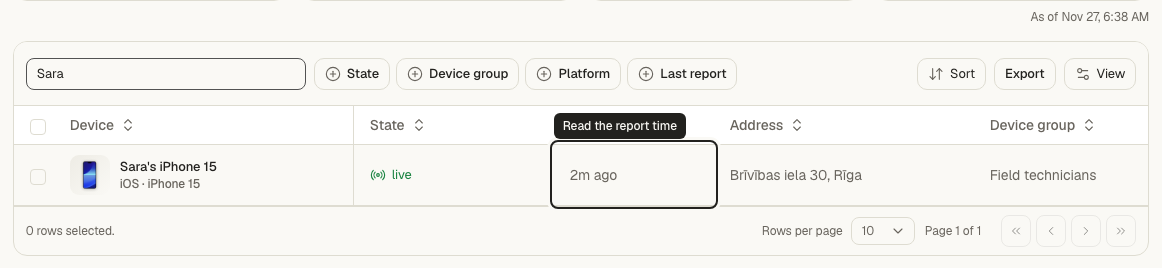
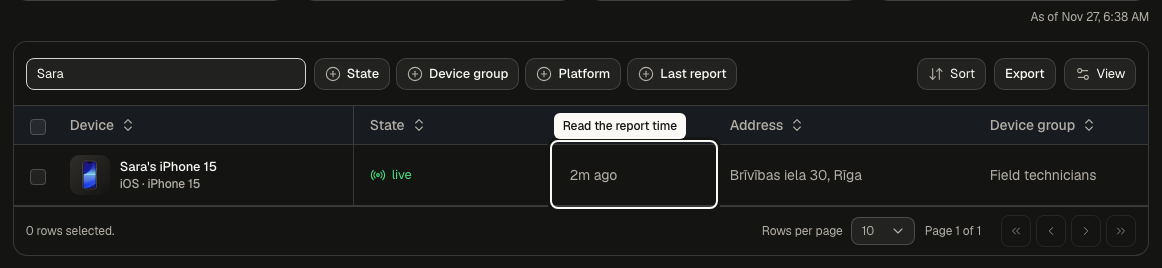
This guide is for service desk and endpoint administrators handling a company-device case. It complements your organization's incident, physical-safety and asset-recovery procedures.
Prepare an authorized case
Confirm the intended asset before collecting or sharing location data. Retain its device identifier, display name, ownership and the person or team responsible for the case.
Confirm that your account can read the necessary location data and use the proposed recovery controls. If the device is outside the approved collection scope, stop that action and use the appropriate support process.
Define the operational question. A misplaced warehouse tablet may need a site check; a missing field device may require a security escalation. The location workflow should support that decision rather than replace it.
Establish the baseline before issuing an action
Open Geolocation → Devices, locate the asset, and open its record. Select Location for the detailed reporting and recovery view.
Record:
| Baseline item | Why it matters |
|---|---|
| Device identifier and ownership | Prevents action on the wrong asset or an inappropriate collection scope |
| Location state | Distinguishes reporting, configuration and capability problems |
| Absolute last-report time and time zone | Establishes the age of the available observation |
| Coordinates or address, with available accuracy | Retains the position and its uncertainty |
| Reporting and recovery controls shown | Establishes which next actions are actually available |
| Investigation time | Preserves the meaning of any relative timestamp |
Keep the original observation even if you later receive a new report. That baseline explains what was known when the first decision was made.
Choose the next step from the actual state
| What you find | Next step |
|---|---|
| A sufficiently useful recent position | Coordinate an authorized, safe operational check while retaining the report time |
| An older position and Locate now is available | Request a new observation and verify whether another report arrives |
| Location off | Check whether enabling collection is authorized and whether the effective setting is intentional |
| No position yet | Check initial reporting, applicable settings and device availability before relying on a map |
| Not supported | Use inventory, user contact and the approved recovery process rather than repeatedly requesting an unavailable position |
| No access | Have an authorized operator perform the permitted investigation; do not work around the restriction |
| Map unavailable but textual data present | Retain the textual observation and report the map-rendering issue separately |
Do not describe an old position as the device's current location. A physical search or security response must account for the observation's age and uncertainty.
Request a newer report and verify the result
If Locate now is offered for this device and the request is authorized:
- Retain the current report timestamp.
- Submit the request once.
- Read the returned action state and keep any relevant failure explanation.
- Check whether the device has answered and whether that answer includes a position or a no-position explanation.
- Compare the available position's timestamp and accuracy with the baseline before changing the case status.
Do not close the investigation simply because the request was accepted. A later recorded-position timestamp establishes a newer captured observation. However, the device can answer with a repeated observation or with a reason that no position is available; an unchanged timestamp alone does not establish that the request is still unanswered.
Preserve the actual waiting, unavailable, failure or answer state and its explanation. Follow a returned no-position reason, or check device availability and reporting configuration when the request remains waiting. If the case must be escalated, hand over the baseline, request state and device answer separately.
Use Lost Mode only when the device and procedure permit it
Lost Mode is a recovery control with its own platform, enrollment and authorization requirements. Use the control offered for the actual device rather than assuming that every device displaying a position can enter Lost Mode.
Before a state-changing recovery action, confirm the correct asset, the intended recovery message or other required input in the form, and the operational consequences displayed by the product.
After submission, verify the resulting device state. A submitted command and a confirmed state are not interchangeable. Record a failure or unresolved state without replacing it with a successful outcome in the case notes.
When the asset is recovered, an authorized operator should use the appropriate control to turn Lost Mode off, then verify the confirmed state. Keep that closeout separate from physical recovery and asset custody.
Review history and boundary activity without over-interpreting them
Use the available history to inspect earlier observations relevant to the case. Check the available period and pagination before concluding that a period is empty.
A history trail helps read the recorded points. It does not establish every movement between them, who carried the device or an exact continuous route.
If a relevant geofence event exists, record its device, boundary, direction, time and associated location. Confirm that the fence applied to the device through the relevant blueprint. Do not substitute the latest device position for the event's recorded context.
If a required notification was not seen, investigate delivery separately. A recorded boundary event and a delivered notification answer different questions.
Export only the evidence the case needs
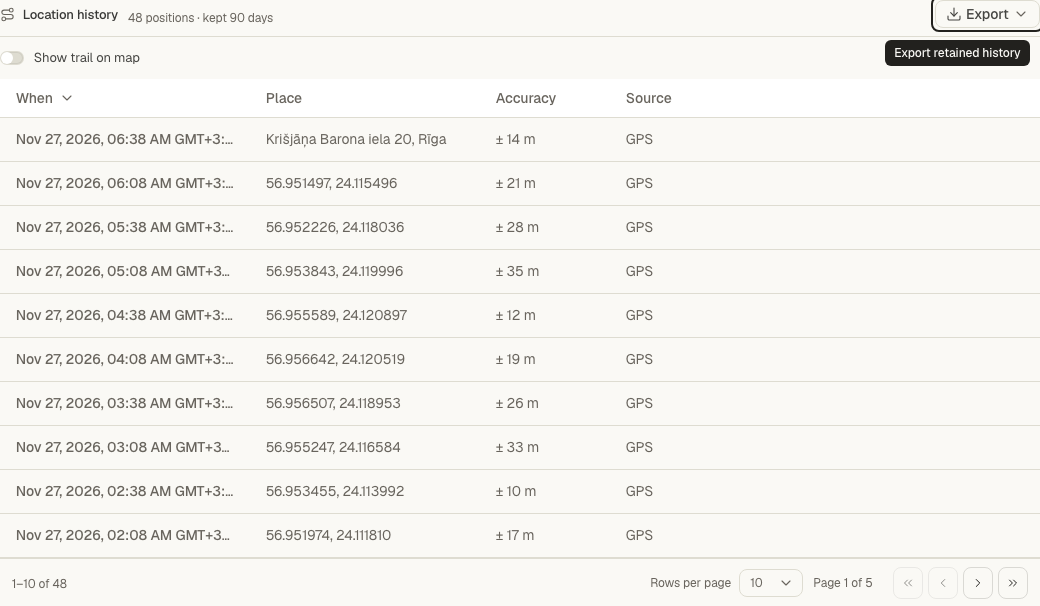
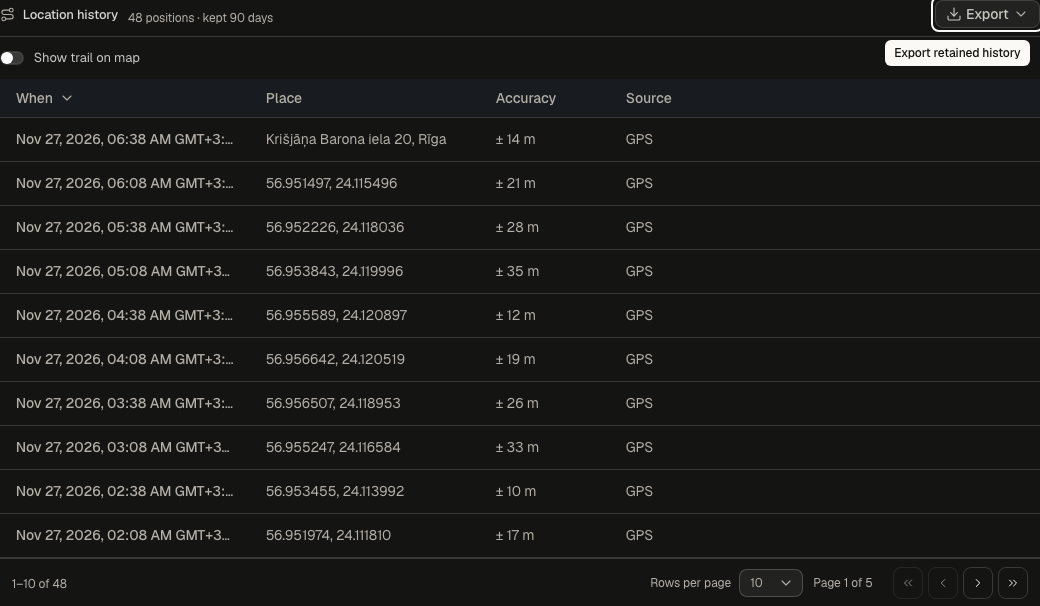
Use an available export only when your account is permitted to export and the investigation requires the file.
Confirm the intended device, inspect the actual export scope, columns and timestamp representation, and store the file in the approved evidence location. An export can contain the full retained history rather than only the visible page or the period being investigated. Retain enough context for another authorized operator to interpret it.
Do not send an entire location history when a case update only needs a status and report time. Apply the organization's access, retention and disposal rules to any copied coordinates, screenshots or exports.
Close or escalate with a clear evidence trail
Separate these outcomes in the case record:
- Physical outcome: whether the device was recovered and who confirmed custody.
- Reporting outcome: the last observation retained and whether a newer report arrived.
- Recovery-control outcome: the requested action and its confirmed or unresolved device state.
- Operational follow-up: any settings, blueprint or reporting problem that remains open.
A useful handoff states what was observed, when it was observed, which action was attempted and what remains unresolved. Avoid “located successfully” if the only result was an accepted request.
For timestamp and accuracy interpretation, see Geolocation availability and data. For event applicability and direction, see Geofences and event behavior.