Plan a location reporting rollout for company devices
Design a location-reporting pilot with explicit populations, device-response evidence, technical acceptance criteria and controlled expansion.
A location-reporting rollout should establish which company devices can support the task, what data they actually provide, and how the team will handle exceptions. Enabling a setting is one configuration result; it is not a measurement of fleet reporting or a guarantee of a usable position.
For a retailer expanding across branches, or a field-services team sharing tablets, a small representative pilot exposes these differences before they become a support problem. Its value is a repeatable decision and handover, not an assumed reduction in loss or investigation time.
Define the decision and the population
Start with an operational question: can the selected company devices provide enough location evidence for a branch handoff or a missing-device investigation? Record device identifiers, platform, enrollment, ownership, current reporting state and the account responsible for each action.
Choose devices representative of the platforms and enrollment methods you intend to expand to. A platform switch is not an action-capability matrix. Viewing an existing position does not establish that the same device supports Locate now, Lost Mode or a history export.
Assign an operator to configuration, an owner to exceptions, and a response owner to any physical investigation. Limit location access and exported data to the approved task. Do not change enrollment or ownership merely to expose an unavailable action.
Keep capability, configuration and freshness separate
Use a pilot register rather than a single percentage.
| Measurement | What to retain |
|---|---|
| Selected population | The approved device identifiers and selection criteria |
| Reporting capability | The eligibility decision for each action and any unavailable reason |
| Effective configuration | The organization, platform and device controls relevant to the device |
| Response evidence | Request acceptance or answer, available receipt evidence, and the observation time |
| Recorded position | Position time, coordinates or address, and available accuracy |
| Operational suitability | Whether the evidence supports the defined next decision |
A reporting-capable denominator can include devices whose tracking is off or that have no position yet. It must not be relabeled as the number that has reported. Preserve the filters, population and observation time when comparing sites or before-and-after results.
Establish a baseline before changing settings
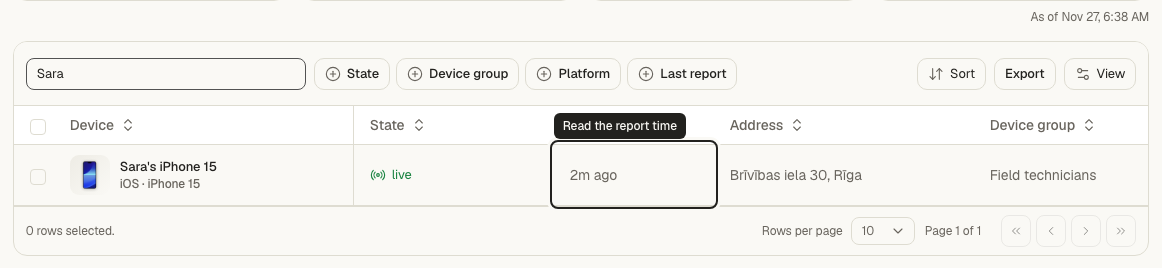
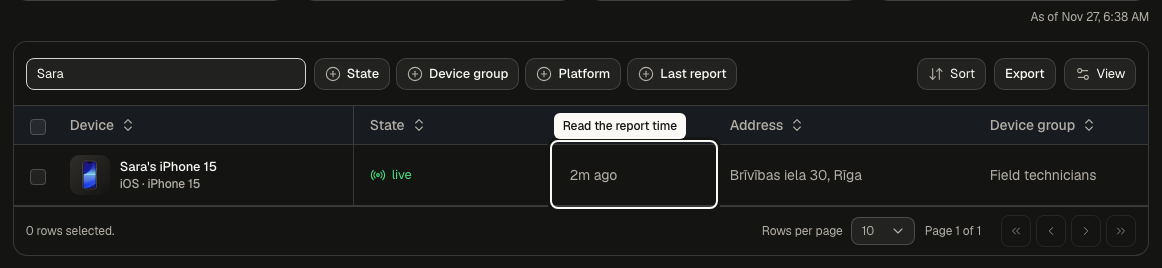
Open the selected device's Location section and record the absolute position time and time zone, available accuracy, and action availability. Keep the general device check-in separate from its position time.
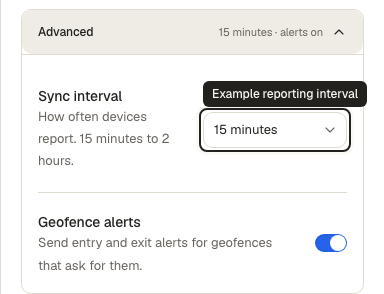
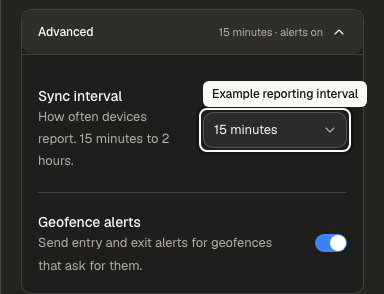
Then review Location settings. Wait for the saved configuration to load, inspect Location tracking, the relevant Platforms, and Advanced. Record the selected Sync interval and Geofence alerts preference. An example's fifteen-minute value is not a demonstrated default for your organization.
Confirm the change's scope before using it for a branch pilot. A filtered device list does not make an organization-level setting branch-specific. Make the smallest authorized change, save once, and reopen the panel to verify the retained value. Use Discard for an edit you do not intend to keep.
Evaluate responses without forcing new history rows
For a permitted Locate now request, record the baseline and submit once. Read the actual result and any response or receipt information the product exposes. Do not invent a missing field in the incident record.
A device can answer and send a nearby repeated observation that is combined with an existing position record. The recorded position time can therefore remain unchanged. A later position time establishes a newer recorded position; an unchanged time alone does not establish an unanswered or failed request. A device can also answer without supplying a position, so retain the returned explanation.
Evaluate whether the available position's age and accuracy suit the operational question. A precise older point may be unsuitable for a moving device, while a recent uncertain point may not distinguish a narrow site boundary.
Set expansion, pause and rollback criteria
Before testing, define the required eligibility decisions, the evidence needed for each action, and the observation window appropriate to the task. These are pilot criteria, not a product response-time promise.
Expand only when the chosen population is accounted for and the response owner can explain its exceptions. Pause an affected slice for unresolved access, ownership, missing capability or unexplained reporting behavior. Investigate a missing event separately from a missing notification if geofences are included.
For rollback, restore the recorded configuration through the supported controls and verify the saved result. Stopping future collection does not erase history or exported copies. Close the pilot with the actual observations, unresolved conditions, affected scope and support owner; measure any claimed business improvement against a defined baseline rather than assuming it follows from activation.